





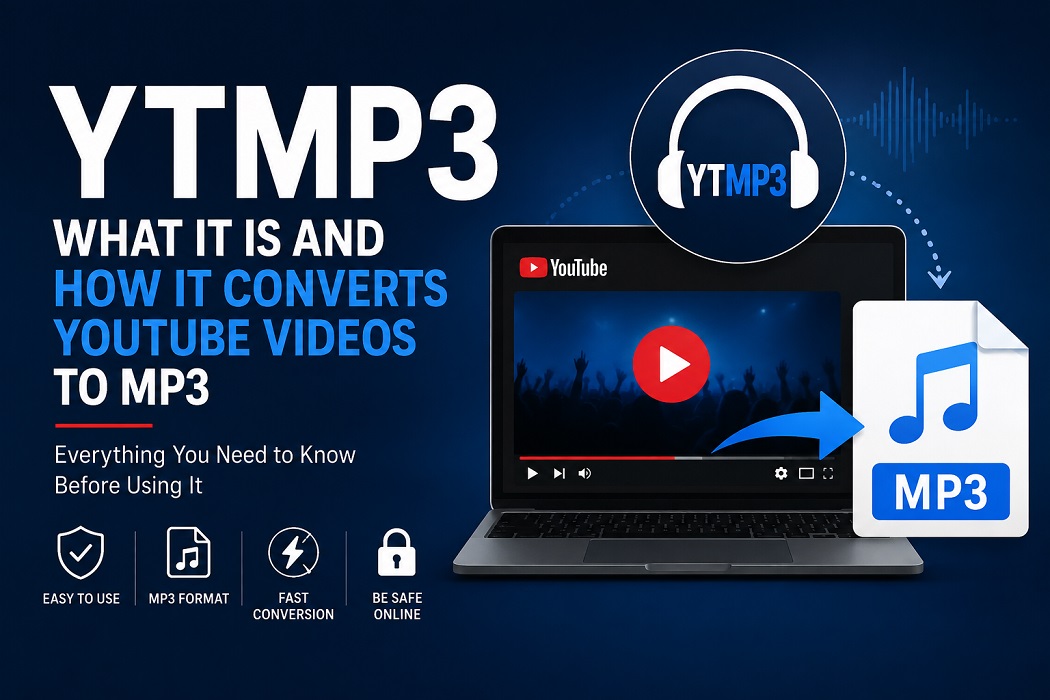
YTMP3: What It Is, How YouTube to MP3 Conversion Works, and What to Know Before Using It
If you have ever wanted to listen to a YouTube video as an audio file, you have probably come across the term ytmp3. The name is commonly associated with online tools that convert the audio from a YouTube video into an MP3 file.
These services are attractive because they usually require little technical knowledge. You copy a video URL, paste it into a converter, select an output format, and download the resulting file. The process can appear straightforward, but there are important questions around copyright, website safety, audio quality, advertising, and the terms governing the content you are converting.
This guide explains how ytmp3 services work, what a typical ytmp3 converter does, why searches such as ytmp3 comconvert appear online, and what users should consider before downloading or converting online video content.
What Is YTMP3?
YTMP3 is a term commonly used to describe online YouTube-to-MP3 conversion services.
The basic idea is simple: an online service processes the URL of a YouTube video and attempts to provide an audio-only version, usually in MP3 format.
An MP3 file is an audio file that uses compression to reduce its size while maintaining reasonable sound quality. Because MP3 is supported by almost every phone, computer, car stereo, and media player, it remains a popular audio format.
A typical conversion service may offer a workflow like this:
- Copy the URL of a YouTube video.
- Paste the URL into the conversion website.
- Select MP3 or another available format.
- Start the conversion.
- Download the generated audio file.
The exact features vary considerably between websites using the YTMP3 name.
Why Do People Search for YTMP3?
People may search for YTMP3 for several reasons:
- They want to listen to audio without keeping the video open.
- They want an offline copy of content they are permitted to use.
- They are interested in converting their own uploaded videos.
- They want to extract audio from copyright-free or openly licensed material.
- They are looking for a simpler way to access audio on a device with limited connectivity.
The important distinction is whether the person has permission to download or reproduce the underlying content.
A conversion tool itself does not determine whether a particular download is legally permitted.
How Does a YTMP3 Converter Work?
A ytmp3 converter generally acts as an intermediary between the video URL and the resulting audio file.
At a high level, the process can involve several technical stages.
1. URL Processing
The user supplies a video URL. The service identifies the relevant video and attempts to determine which media streams are available.
2. Media Retrieval or Processing
Depending on the service’s architecture and the content available, the system processes the media associated with the URL.
This stage can involve substantial server-side resources, especially when many users are converting videos simultaneously.
3. Audio Extraction
If an appropriate media source is available, the audio component is separated from the video.
For example, a video might contain:
- Video stream
- Audio stream
- Metadata
The conversion process focuses on the audio portion.
4. Encoding
The extracted audio may then be encoded into the requested format.
For MP3, encoding settings can affect:
- File size
- Bitrate
- Compatibility
- Perceived audio quality
A higher bitrate generally produces a larger file. However, converting a low-quality source into a higher-bitrate MP3 does not magically restore lost audio detail.
5. Download
The service provides a file or download mechanism that allows the user to save the processed audio.
The entire process may take only a short time for a small file, although processing speed depends on the service, source media, server load, and network connection.
What Does “YTMP3 – YouTube to MP3” Mean?
The phrase ytmp3 – youtube to mp3 is essentially a description of the conversion function associated with these services.
“YouTube to MP3” means taking the audio associated with a YouTube video and producing an MP3 audio file.
For example, imagine a creator uploads a public-domain lecture and provides permission for users to download and reuse it. A user might want the spoken audio without the video because they plan to listen while commuting.
In that situation, an audio conversion workflow can be useful.
The situation changes when the source contains copyrighted music, films, podcasts, courses, or other protected material and the user does not have permission to make a copy.
What Is YTMP3 Comconvert?
ytmp3 comconvert is a search phrase that users may encounter when looking for online video-to-audio conversion services.
Searches for terms like this can be confusing because multiple websites may use similar branding, domain names, or descriptions. A search result does not automatically establish that a website is official, trustworthy, or affiliated with another service using a similar name.
Before using an unfamiliar converter, check:
- The exact website domain.
- Whether the site uses HTTPS.
- Whether it asks you to install software.
- Whether it requests unnecessary browser permissions.
- Whether download buttons are clearly identified.
- Whether the site displays aggressive pop-ups or redirects.
- Whether its privacy policy explains what happens to submitted URLs and files.
A familiar-looking name should not be treated as proof of safety.
Is YTMP3 Safe to Use?
Safety depends heavily on the particular website you visit.
The biggest risk is often not the MP3 conversion itself. It is the advertising, redirects, deceptive buttons, notifications, or bundled downloads surrounding some free conversion websites.
Common Warning Signs
Be cautious if a converter:
- Opens multiple unexpected tabs.
- Claims your device has a virus.
- Requests permission to send browser notifications.
- Requires an unknown browser extension.
- Forces you to download an executable program for a simple conversion.
- Displays fake “Download” buttons.
- Requests credit-card information for a supposedly free conversion.
- Redirects you to unrelated websites.
- Requests unnecessary personal information.
A normal media conversion service should not need access to unrelated accounts, contacts, private files, or sensitive information.
Browser Notifications Deserve Special Attention
One particularly common problem with questionable websites is notification permission.
A website may display a message such as “Click Allow to continue.” If you grant notification access, the website may subsequently send notifications through the browser.
If you accidentally allowed notifications from a suspicious website, you can usually remove that permission through your browser’s site settings.
Does Converting YouTube Videos Reduce Audio Quality?
It can.
The quality of the final MP3 depends on the quality of the source audio and the encoding process.
Consider a simplified example:
A source contains audio that has already been compressed. The converter then extracts that audio and encodes it again as MP3.
That can introduce another generation of compression.
Why Bitrate Matters
Common MP3 bitrate levels include:
- 128 kbps: Smaller files, but noticeable quality limitations can occur.
- 192 kbps: A reasonable compromise for many casual listening situations.
- 256 kbps: Higher quality with a larger file.
- 320 kbps: High MP3 bitrate, but it does not improve a poor-quality source.
One common misconception is that choosing 320 kbps automatically produces better sound.
It does not.
If the original audio is already low quality, increasing the output bitrate simply creates a larger file without recreating information that was never present in the source.
Does an MP3 Converter Download the Original YouTube File?
Usually, an MP3 conversion process is intended to produce an audio file rather than an exact copy of the original video.
The resulting file can differ from the source in several ways:
- Video information is removed.
- Audio may be re-encoded.
- Metadata may change.
- Bitrate may change.
- File size becomes substantially smaller than the original video.
This is why a converted MP3 should not automatically be considered an identical copy of the original media.
Is Using YTMP3 Legal?
The legal answer depends on several factors, including your country, the content involved, how the file is obtained, and whether you have permission to copy or use it.
There is an important difference between technology and how that technology is used.
For example, converting your own video into an MP3 for personal use is fundamentally different from downloading copyrighted music and redistributing it without permission.
Safer Examples
Conversion may be appropriate when you have the necessary rights or permission, such as:
- Your own YouTube videos.
- Public-domain material.
- Content released under a license that permits downloading and reuse.
- Material for which the copyright holder has explicitly given permission.
- Audio you have created and uploaded yourself.
Higher-Risk Examples
You should be cautious about converting:
- Commercial music without permission.
- Movies or television content.
- Copyrighted audiobooks.
- Paid educational material.
- Premium podcasts or courses.
- Content specifically restricted from downloading or redistribution.
YouTube’s own terms and the copyright rules applicable in your jurisdiction should be checked when you are unsure.
YTMP3 and Copyright: A Practical Example
Imagine a photographer uploads a video containing their own original background music and gives viewers permission to download and reuse the audio.
You have permission, so converting that audio into an MP3 for an allowed purpose is considerably different from downloading a commercially released song that you do not have permission to copy.
The key question should therefore be:
“Do I have the right to make and use this copy?”
That question is more useful than simply asking whether a converter technically allows the download.
Can You Use YTMP3 on a Phone?
Many web-based converters are designed to work through a browser, meaning users may attempt to access them from smartphones, tablets, laptops, or desktop computers.
However, mobile users should be especially careful with:
- Fake download buttons
- Automatic redirects
- Notification prompts
- Suspicious APK or application downloads
- Browser permission requests
You generally should not install an unfamiliar application merely because a website claims it is necessary for MP3 conversion.
For content you own, using the platform’s official download or export options is usually the safer approach when available.
YTMP3 on Android and iPhone
The general concept of URL-based conversion can work through a mobile browser, but the exact experience depends on the website and operating system.
Android users may encounter websites encouraging them to install applications outside the official app store. This deserves particular caution.
iPhone users should similarly be skeptical of websites asking them to install configuration profiles, unknown applications, or unnecessary browser extensions.
For both platforms, keep your operating system and browser updated.
Why Do Some YTMP3 Websites Have So Many Ads?
Free conversion services need some way to pay for infrastructure, bandwidth, development, and maintenance.
Advertising is one common business model.
The problem occurs when advertising becomes deceptive or excessive.
A page might contain several visually similar buttons, with only one actually performing the intended action. Some advertisements may also trigger redirects.
For users, the practical lesson is simple: do not click every button that says “Download.”
Look carefully at the page before proceeding.
How to Identify a Suspicious Converter
You can perform a quick safety check before interacting with an unfamiliar site.
Check the Domain
Look at the domain name carefully. Typos, unusual subdomains, and misleading brand names can indicate that you are not on the website you intended to visit.
Check HTTPS
HTTPS encrypts the connection between your browser and the website, although HTTPS by itself does not prove that a website is trustworthy.
A malicious website can also use HTTPS.
Avoid Unnecessary Downloads
If you are using a browser-based service, be suspicious when it suddenly requires:
- An EXE file
- An APK file
- A browser extension
- A configuration profile
- Antivirus software
- A “special player”
A simple conversion task should not require arbitrary software from an unknown source.
Do Not Provide Sensitive Information
Never provide passwords, banking details, government identification numbers, or other sensitive information to a random converter website.
What Are the Alternatives to YTMP3?
If your objective is simply to listen to YouTube content offline, consider legitimate options first.
Depending on the content and service, alternatives may include:
- Official offline playback features.
- Creator-provided download links.
- Downloading your own uploaded content.
- Purchasing the music or audio legally.
- Using content released under an appropriate Creative Commons or public-domain license.
- Using official podcast or music applications that support offline listening.
These approaches reduce both copyright concerns and the security risks associated with unknown third-party websites.
How Creators Can Offer MP3 Downloads Legally
Creators who want their audiences to access audio versions of their videos can make the process much easier by providing official files.
For example, a creator could publish:
- MP3 audio
- WAV master audio
- Podcast RSS feed
- Direct download link
- Official streaming link
This gives the audience a clear source and lets the creator control the quality and licensing terms.
A creator could also specify whether the audio is:
- Personal-use only
- Commercial-use permitted
- Attribution required
- Modification permitted
- Redistribution permitted
Clear licensing information removes much of the uncertainty surrounding third-party conversion.
Common YTMP3 Questions
Is YTMP3 free?
Many websites using the YTMP3 name have historically offered free conversion services, although pricing, availability, advertisements, and features vary by website.
Does YTMP3 work with every YouTube video?
No. Availability can vary based on the source URL, technical restrictions, changes to the platform, and the converter’s own capabilities.
Can YTMP3 convert videos into MP3?
That is the primary purpose associated with the YTMP3 name. However, the exact functionality depends on the particular website.
Is a 320 kbps MP3 always better?
No. A 320 kbps output does not improve audio information that was missing from the original source.
Can I convert my own YouTube videos?
If you own the content, you generally have much greater control over how you reproduce and export it. Using the platform’s official download tools or your original source files is preferable when available.
Can I download copyrighted music with YTMP3?
The fact that a technical tool can process a URL does not mean you have permission to copy the underlying copyrighted work. Check the applicable copyright rules and the rights associated with the content.
Best Practices for Anyone Considering a YTMP3 Service
If you decide to use a third-party conversion service for content you are authorized to copy, follow these basic precautions:
- Verify that you have permission to copy the content.
- Check the exact domain before using the service.
- Avoid suspicious pop-ups and redirects.
- Do not install unknown software.
- Do not grant unnecessary browser permissions.
- Never provide sensitive personal or financial information.
- Scan unexpected downloaded files before opening them.
- Keep your browser and operating system updated.
- Prefer official download options whenever they are available.
- Respect the creator’s copyright and licensing conditions.
The Future of YouTube-to-MP3 Conversion
The basic concept behind YouTube-to-MP3 conversion is unlikely to disappear simply because users want different ways to consume media. People will continue to want audio versions of lectures, interviews, educational material, music, and their own videos.
At the same time, online platforms regularly change their technical systems, policies, and content-access mechanisms. Third-party converters therefore have to adapt constantly.
For users, the smartest approach is to focus less on finding the newest converter and more on three fundamentals:
rights, security, and source quality.
If you have permission to use the content, obtain it through the safest legitimate method available. If you do use a third-party tool for authorized material, treat unfamiliar websites with the same caution you would give any other file-download service.
YTMP3 can describe a simple technical process, but responsible use requires more than pressing a download button. Understanding copyright, checking website safety, and paying attention to audio quality will help you make better decisions whenever you work with online media.
Author

