



Canva AI Image Generator: Create Stunning Visuals Instantly
Artificial Intelligence has changed the way we design, create, and communicate online. Among the leading tools shaping this creative revolution is Canva AI Image Generator. Known for its user-friendly drag-and-drop design platform, Canva has now taken things further with advanced AI-powered features that allow users to generate unique, high-quality visuals instantly.
In this comprehensive guide, we’ll explore everything you need to know about the Canva AI Image Generator, from how it works, its benefits, practical uses, and comparison with other AI tools, to expert tips for maximizing results.
Whether you are a designer, marketer, business owner, student, or content creator, this article will help you understand how to use Canva AI effectively to bring your creative ideas to life.
Contents
- What is Canva AI Image Generator?
- Why Canva Introduced AI Image Generation
- Key Features of Canva AI Image Generator
- How to Use Canva AI Image Generator: Step-by-Step Guide
- Benefits of Canva AI Image Generator
- Canva AI vs Other AI Image Generators
- Practical Uses of Canva AI Image Generator
- Best Practices for Using Canva AI Image Generator
- SEO Value of Canva AI Image Generator
- Limitations of Canva AI Image Generator
- Future of AI in Canva
- Expert Opinion
- FAQs on Canva AI Image Generator
- Final Thoughts
- Author
What is Canva AI Image Generator?
The Canva AI Image Generator is a built-in tool within Canva that transforms text prompts into images using machine learning and artificial intelligence. Instead of spending hours searching for stock photos or hiring graphic designers, you can simply type a description (like “a futuristic city skyline at sunset in watercolor style”) and Canva instantly generates an original image.
This technology is based on text-to-image AI models that have been trained on millions of images and art styles. Canva integrates this capability into its platform so that users can create custom visuals in seconds—without leaving the design dashboard.
Why Canva Introduced AI Image Generation
Canva’s mission has always been to make design accessible to everyone, regardless of technical skill. By introducing AI image generation, they addressed several challenges faced by creators:
-
Stock image limitations: Often, stock libraries don’t have the exact picture you need.
-
High design costs: Hiring photographers or illustrators can be expensive.
-
Time constraints: Creative projects often need fast turnarounds.
-
Customization needs: Brands want visuals that match their unique identity.
With AI, Canva provides a cost-effective, quick, and customizable solution that fits seamlessly into the workflow of individuals and businesses.
Key Features of Canva AI Image Generator
Here’s what makes Canva’s AI image generator stand out:
-
Text-to-Image Conversion
-
Type any prompt and generate an original visual in seconds.
-
Example: “A 3D render of a smartphone with neon lights in cyberpunk style.”
-
-
Multiple Styles
-
Options include photo-realistic, watercolor, anime, sketch, retro, painting, and 3D.
-
-
Custom Sizes
-
Create visuals in square, portrait, or landscape formats depending on your project.
-
-
Instant Integration with Designs
-
Unlike standalone AI tools, Canva lets you add the generated image directly into your presentation, social media post, or marketing design.
-
-
User-Friendly Interface
-
No coding or design expertise needed—just type, click, and use.
-
-
Safe and Ethical Use
-
Canva applies strict content filters to ensure AI-generated images meet community standards and avoid harmful outputs.
-
How to Use Canva AI Image Generator: Step-by-Step Guide
Here’s a simple walkthrough:
-
Log into Canva
-
Create a free or Pro account on canva.com.
-
-
Open a Design
-
Choose a template or start from scratch with custom dimensions.
-
-
Select “Apps”
-
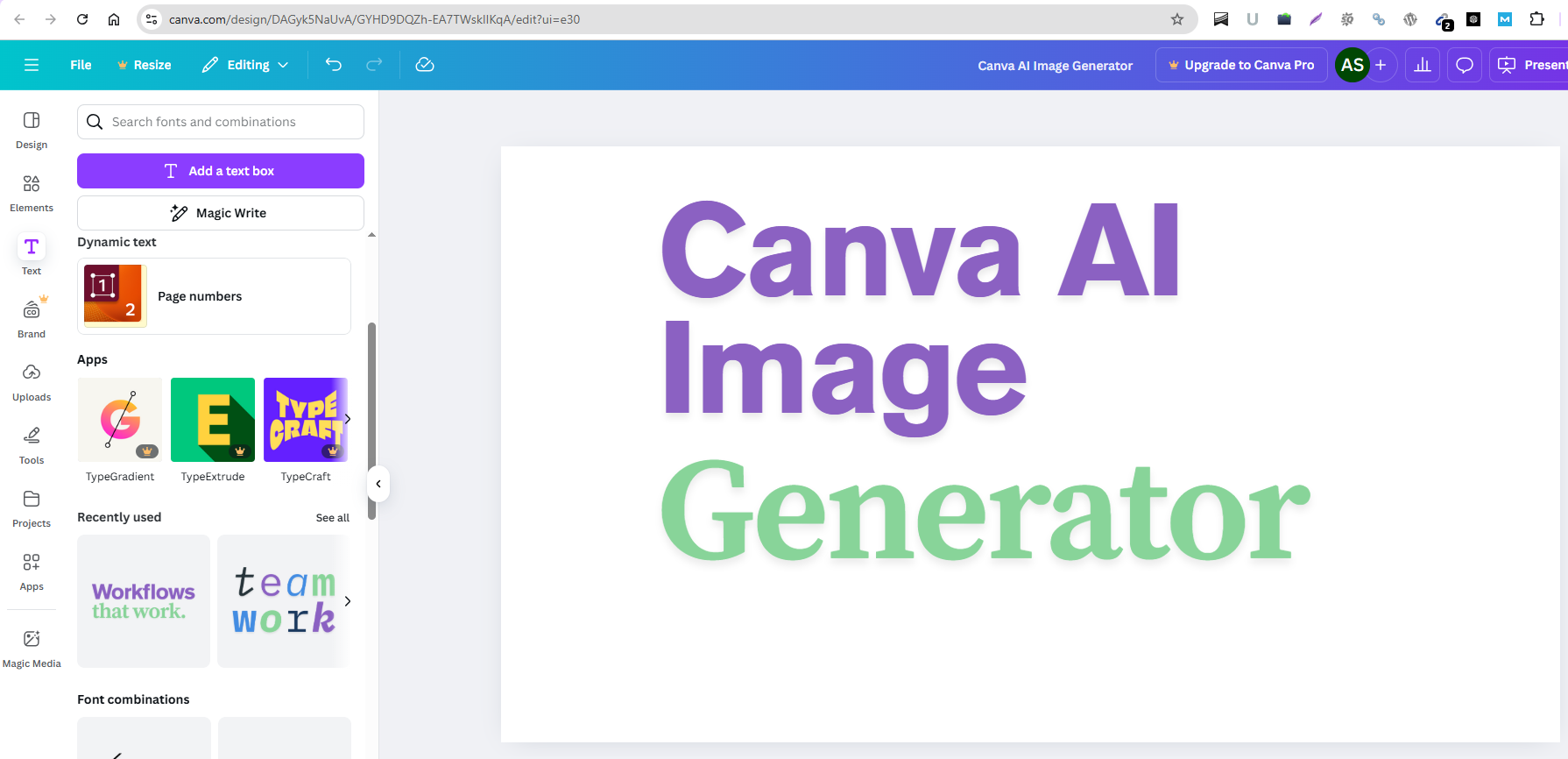
On the left panel, click “Apps” and search for Text to Image.
-
-
Enter Your Prompt
-
Type a description of the image you want. Be as detailed as possible.
-
-
Choose Style & Format
-
Pick the visual style (e.g., photo, painting, 3D, anime) and orientation.
-
-
Generate and Insert
-
Click Generate and select the best image to insert directly into your design.
-
-
Customize Further
-
Add filters, crop, adjust brightness, overlay text, or combine with other Canva elements.
-
Benefits of Canva AI Image Generator
-
Saves Time and Effort
-
No need to browse through thousands of stock photos.
-
-
Cost-Effective
-
Included in Canva’s ecosystem, making it more affordable compared to hiring external designers.
-
-
Unlimited Creativity
-
You can generate images that don’t even exist in real life, such as “a cat wearing a spacesuit eating pizza on Mars.”
-
-
Seamless Branding
-
Create visuals that perfectly align with your business identity.
-
-
Beginner-Friendly
-
Even non-designers can produce professional visuals.
-
Canva AI vs Other AI Image Generators
How does Canva compare to popular alternatives like DALL·E, MidJourney, and Stable Diffusion?
-
Ease of Use: Canva is more beginner-friendly. Tools like MidJourney require Discord integration, which can be complex.
-
Integration: Canva AI is built into the design platform, making editing and publishing seamless.
-
Pricing: Canva Pro offers value since it combines templates, stock media, and AI tools in one subscription.
-
Customization: While MidJourney may offer more artistic detail, Canva balances quality with practicality.
Practical Uses of Canva AI Image Generator
The possibilities are endless, but here are the most popular use cases:
-
Social Media Marketing
-
Create scroll-stopping posts, Instagram stories, TikTok covers, and Facebook ads.
-
-
Business Branding
-
Generate logos, mockups, and product visuals.
-
-
Content Creation
-
Bloggers and YouTubers can design unique thumbnails, banners, and illustrations.
-
-
Education
-
Teachers can create engaging classroom visuals, infographics, and worksheets.
-
-
Personal Projects
-
Make greeting cards, wedding invites, vision boards, or digital art.
-
Best Practices for Using Canva AI Image Generator
To get the best results, keep these tips in mind:
-
Be Specific in Prompts
-
Instead of “dog,” try “a golden retriever puppy playing in a field of sunflowers in watercolor style.”
-
-
Experiment with Styles
-
Run the same prompt in different styles (3D, anime, photorealistic) to compare outputs.
-
-
Combine with Canva Tools
-
Use Canva’s text overlays, animations, and stock elements to enhance AI images.
-
-
Check for Accuracy
-
AI sometimes struggles with details like hands, text, or symmetry. Always proof images before publishing.
-
-
Maintain Brand Consistency
-
Stick to your brand’s colors, fonts, and tone when using AI visuals.
-
SEO Value of Canva AI Image Generator
From a marketing perspective, Canva AI isn’t just about pretty visuals—it also helps boost SEO and digital presence.
-
Improved Engagement: Custom visuals increase clicks and shares.
-
Faster Content Production: Publish more blogs, social posts, and ads in less time.
-
Unique Imagery: Original images reduce the risk of duplicate content compared to stock photos.
-
Brand Authority: Consistent professional visuals build trust with audiences.
Limitations of Canva AI Image Generator
No tool is perfect. Canva AI has some limitations:
-
Less Control than advanced tools like MidJourney.
-
Quality Variance depending on prompt details.
-
Ethical Restrictions prevent generating harmful, adult, or misleading content.
-
Copyright Considerations: While Canva AI creates new visuals, users must still ensure responsible use in commercial projects.
Future of AI in Canva
Canva continues to invest in AI technology. Future updates may include:
-
Better prompt understanding with natural language processing.
-
Smarter editing tools like AI background replacement and object removal.
-
Collaboration features where teams can co-create AI visuals in real time.
-
3D and video generation powered by AI.
Expert Opinion
As a design tool, Canva has democratized creativity. By adding AI image generation, it has positioned itself as a must-have platform for creators in 2025 and beyond. Experts believe AI won’t replace human designers but will empower them—freeing time from repetitive tasks and sparking fresh ideas.
FAQs on Canva AI Image Generator
Q1. Is Canva AI Image Generator free?
Yes, Canva offers limited free access. However, advanced features and higher quality outputs are available with Canva Pro.
Q2. Can I use Canva AI images for commercial purposes?
Yes, you can use generated images for marketing, branding, and sales projects, but always review Canva’s licensing terms.
Q3. How accurate are AI-generated images?
Results vary based on prompt detail. The more descriptive your input, the better the outcome.
Q4. Is Canva AI better than DALL·E or MidJourney?
For ease of use and integration, yes. But for highly artistic, detailed visuals, DALL·E and MidJourney may offer more depth.
Q5. Does Canva AI work on mobile?
Yes, Canva’s mobile app supports AI image generation, making it convenient for creators on the go.
Final Thoughts
The Canva AI Image Generator is a game-changer for modern creators. It makes professional-quality visuals accessible to everyone, regardless of design skill. By combining AI innovation with Canva’s powerful design ecosystem, the platform allows businesses, educators, marketers, and everyday users to create stunning images in seconds.
In a digital world where visuals drive engagement, branding, and sales, Canva AI provides the perfect balance of creativity, speed, and accessibility. Whether you’re building a personal blog, running a business, or designing for fun, this tool opens endless possibilities.
Author

